The SES.Hospedajes web service password expires periodically for security reasons. When this happens GoToCheck can no longer submit guest data automatically. This guide explains how to renew it in a few steps.
Why does the password expire?
The Ministry's SES.Hospedajes platform applies a mandatory password rotation policy for security reasons. The web service password must be changed periodically — this is a system requirement, not optional. When it expires, automated submissions via API are blocked until the password is renewed.
Step-by-step guide (with screenshots)
Access the SES.Hospedajes portal
Go to the official SES.Hospedajes portal: hospedajes.ses.mir.es. You will need your digital certificate or Cl@ve to log in.
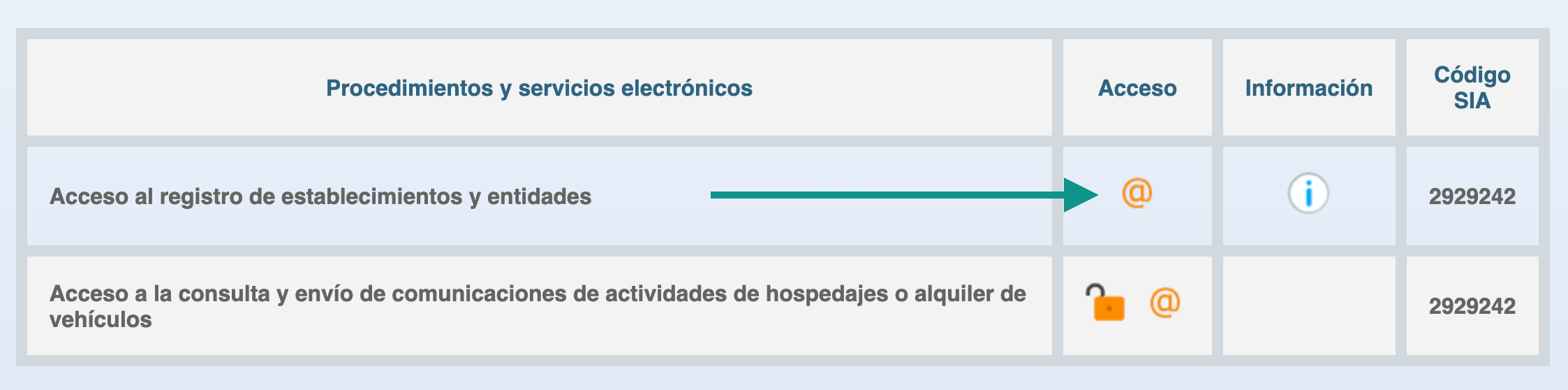
Access the establishment registry
Click "Acceso al registro de establecimientos y entidades" on the home page to enter the management area.
Identify yourself
Choose your identification method: digital certificate or Cl@ve. Log in with the NIF linked to your establishment registration.
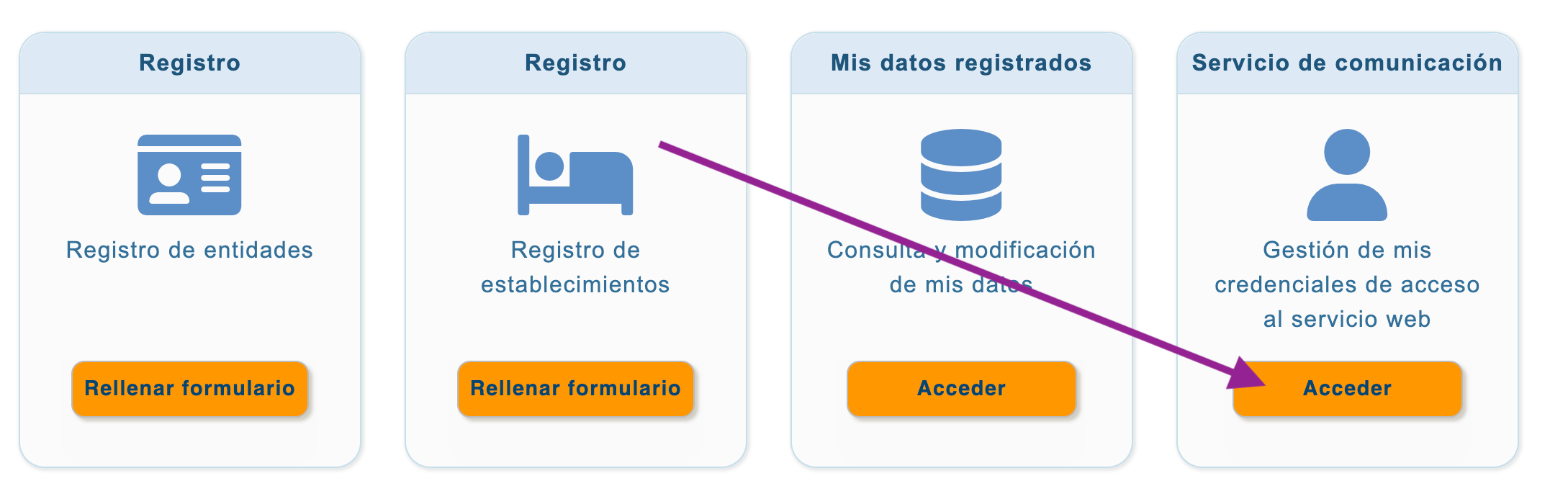
Access the communication service section
Once inside, find the "Servicio de comunicación" (Communication service) card and click "Acceder".
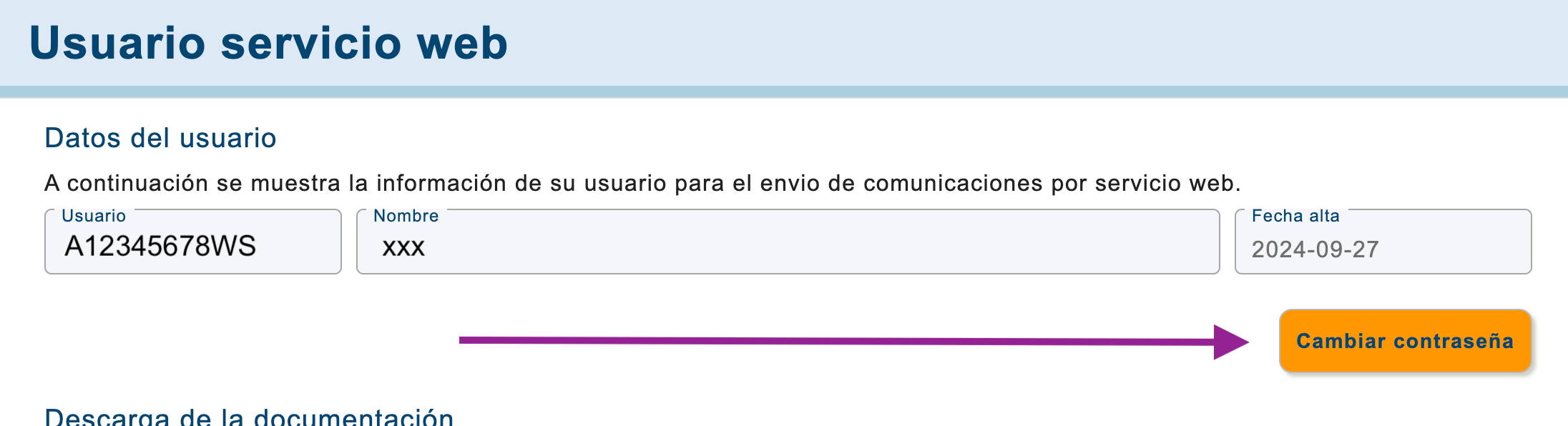
Note your username and click "Change password"
Your web service username appears at the top left of the screen. Copy it and save it — you will need to re-enter it in GoToCheck. Then click "Cambiar contraseña" (Change password).
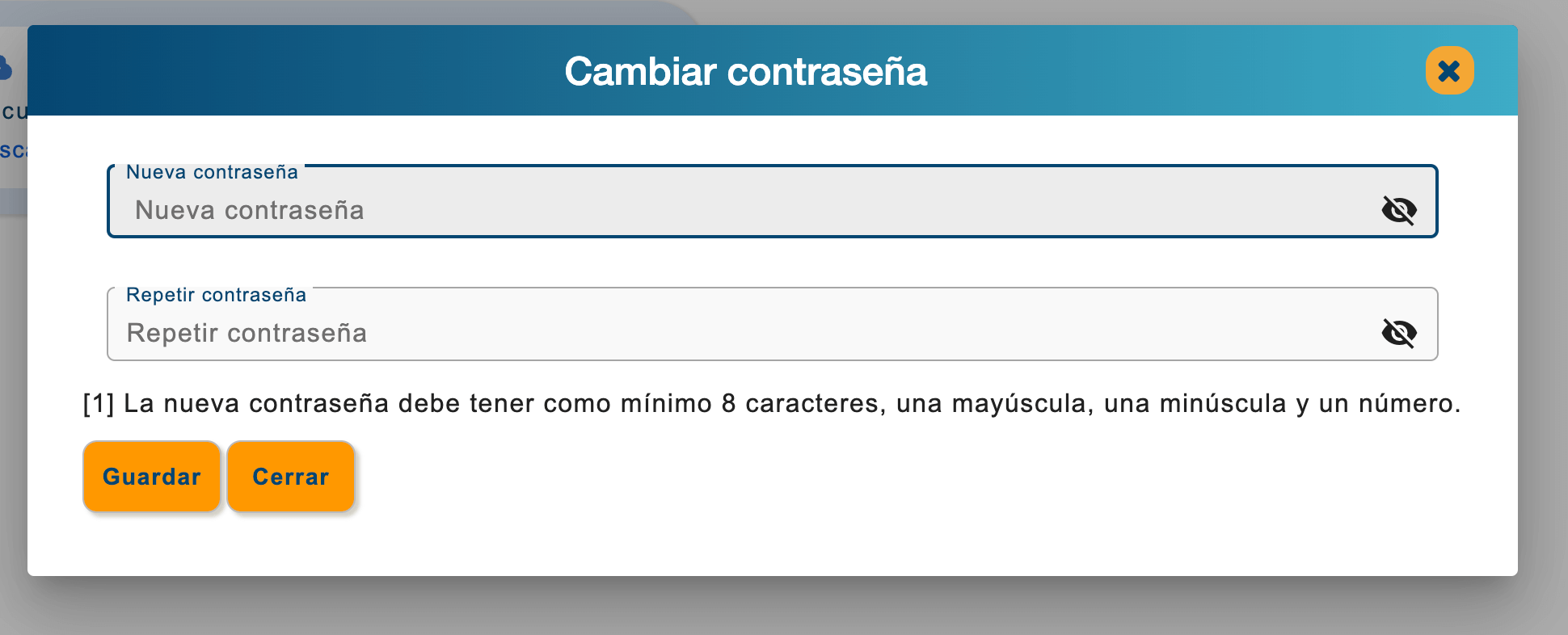
Enter the new password and save
Type your new password in the fields shown. It must meet the requirements: minimum 8 characters, including uppercase, lowercase and numbers. Click "Guardar" (Save).
Update credentials in GoToCheck.pro
Log in to GoToCheck, go to Settings → Your property → SES.Hospedajes Configuration, and enter the username (same as before) and the new password. Save the changes.
GoToCheck.pro can now automatically send your guest data to SES.Hospedajes again. The connection has been restored.
How to update credentials in GoToCheck
- Log in to your GoToCheck.pro account
- Go to Settings (⚙️ in the side menu)
- Select Your property
- Open the SES.Hospedajes Configuration section
- Enter your username (unchanged) and the new password
- Click Save
Not using GoToCheck.pro yet?
Automate your SES.Hospedajes submissions and never miss a deadline again.
Try FREE for 30 days →Common errors when changing the password
The SES.Hospedajes system requires a minimum of 8 characters with at least one uppercase letter, one lowercase letter, and one number. Passwords that are too simple will be rejected.
The system remembers previous passwords and will not allow you to reuse them. You must choose a completely new password.
Even if the password change in the portal was successful, GoToCheck will keep failing until you also update the credentials in Settings → Your property → SES.Hospedajes Configuration.
Frequently asked questions
How often does the SES.Hospedajes password expire?
Approximately every 3 to 6 months, depending on the Ministry's security policy. The exact period can vary.
Does my username change when I change the password?
No. The username is permanent and does not change. Only the password expires and must be renewed. The username field in GoToCheck stays the same.
What happens if I don't renew the password in time?
The web service connection is blocked. GoToCheck will not be able to submit guest data to SES.Hospedajes and will display a connection error alert in your dashboard.
Do I need to change the password for all my properties?
It depends on whether your properties share credentials or each has separate ones under different establishment registrations. If they share a NIF and were registered together, one change is enough. If each property has its own registration, each must be updated individually.
Does GoToCheck alert me when the password has expired?
Yes. When GoToCheck detects a connection error (typically because the password has expired), it shows an alert in the dashboard. Go to your property settings and update the password to restore the connection.